We've all lived this moment at least once: you hand Claude, or a similar model, a complex, multi-step task. At first everything seems fine, but as the conversation drags on the model starts "forgetting" — it loses context — or worse, it confidently makes things up. (We politely call this "hallucination" (ai-hallucination).)
That's because we expect a single AI model to be a brilliant researcher, a creative writer, and a meticulous editor, all at once. If we expected that many different competencies from one human being in real life, that person would probably end up burned out. 😅
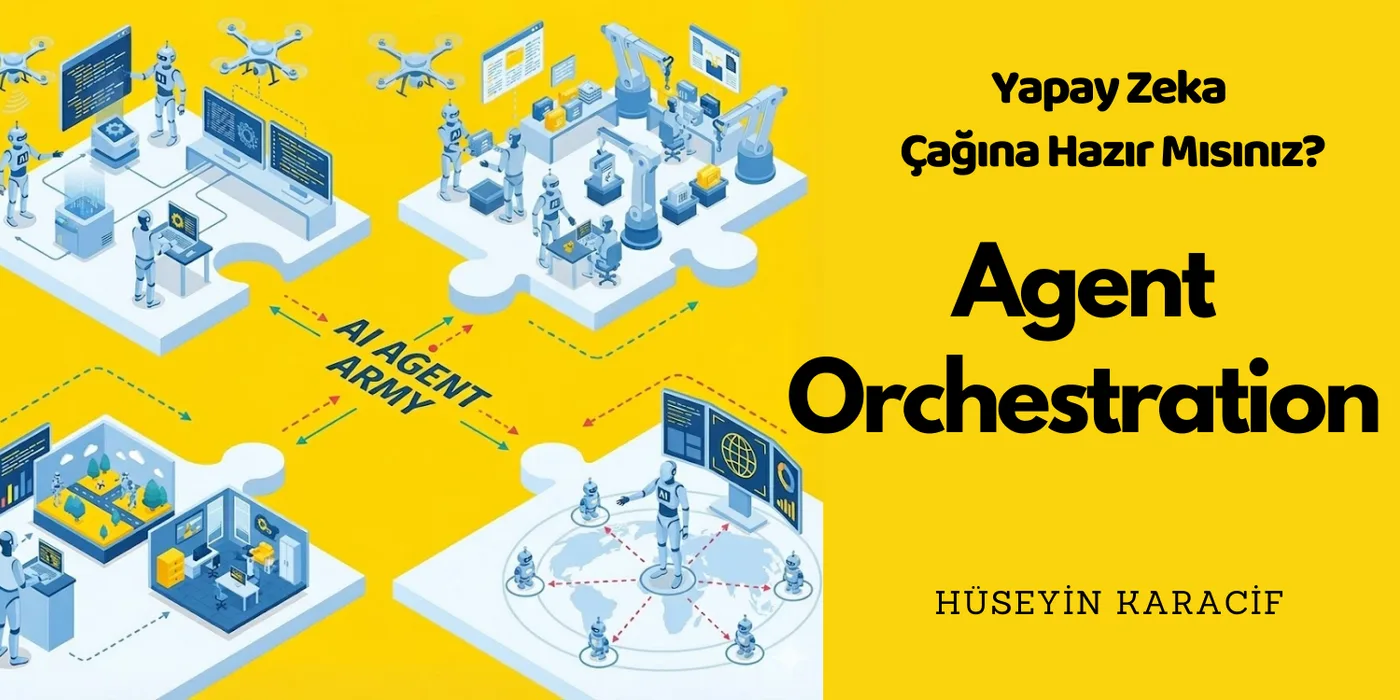
And this is exactly where the new star of the AI world steps onto the stage: Agent Orchestration.
Today I'm going to walk you through how I built a team of "digital employees" — running on my own computer, talking to each other and getting work done — without spending a single dollar.
Chapter: What Exactly Is "Agent Orchestration"?
Picture autonomous AIs that can make their own decisions and take action. The Agent concept is about giving that "brain" hands and feet — tools — so it can actually act.
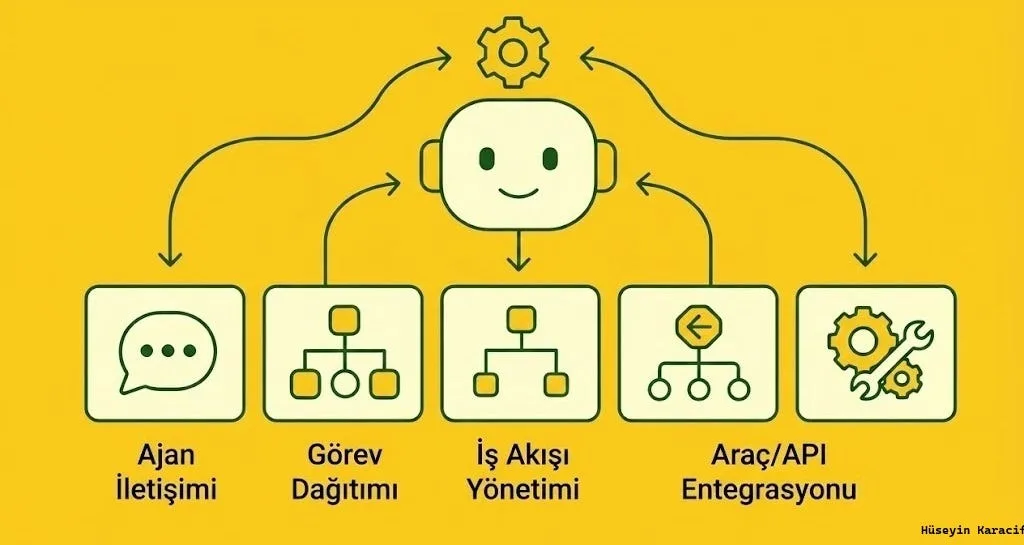
Agent Orchestration goes beyond the capabilities of a single agent — it's multiple agents working in coordination toward a shared goal.
I like to explain this with a construction site metaphor:
- Single Agent: One tradesman laying bricks, running the wiring, and drawing up the architectural plans, all by himself. High risk of mistakes, and he gets exhausted.
- Orchestration: There's a Site Foreman (the Orchestrator). He tells the bricklayer "lay the wall" and the electrician "run the cables." Everyone just does the job they're expert at. The foreman supervises the order and the quality of the work.
This is exactly the structure we call Agent Orchestration.
Why Do We Need Orchestration?
- Breaking Through the Context Limit: If you load an entire project's details into a single LLM, it starts "forgetting" and loses context. In orchestration, each agent only knows its own small slice.
- Specialization: Telling one agent "you only write Python" and another "you only write documentation" is basically fine-tuning by role — both end up working better and more effectively than a single AI trying to do it all.
- Fault Tolerance: If one agent messes up, the manager agent can notice and say "try again." This lets the task loop until it succeeds, and you get to enjoy your coffee in peace ☕️
- Communication: A self-improving loop with no human intervention required!
Let's Compare: Which Framework Is Right for You?
There are massive tools on the market doing this job. Which one you pick depends on you and how complex your idea is. I pulled together a bunch of sources, ran them through AI for a close, tightly-woven comparison, and put together the table below.
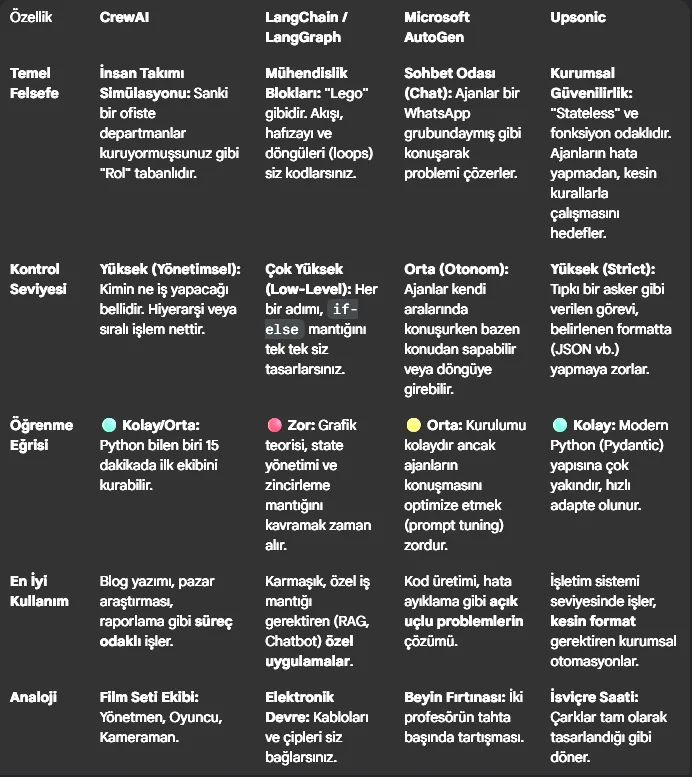 Made By AI with My Infos
Cut to the Chase, Hüseyin: Which One Should I Pick?
- If you're thinking "I just want something working fast so I can build my team without wrestling with code" → CrewAI (my pick).
- If you're thinking "I want to control every breath the agent takes and manage its memory myself" → LangGraph.
- If you're thinking "I need autonomous developers that write code, find bugs, and fix them themselves" → AutoGen.
- If you're thinking "I need something deep and professional that will run in production at my company, with zero room for error" → Upsonic.
⭐️ LangChain: This is the "Swiss Army knife" of the field. Incredibly powerful — you can customize everything (memory, vector stores) down to the finest detail. But the learning curve is steep, and sometimes it demands way too much code for a simple job.
⭐️ CrewAI: Built on top of LangChain, but it abstracts away the complexity. If you want to work with a "you're the writer, you're the editor" mental model, this is the best option.
⭐️ Upsonic: The rising star of the moment. It's especially focused on "Reliability" and "Function Calling." Where CrewAI feels more like a "chatty team," Upsonic feels more like "soldiers who don't make mistakes and follow strict rules." If it's mission-critical that your agent must output in a specific format (say, JSON), Upsonic's strict typing structure is a lifesaver.
⭐️ AutoGen (Microsoft): Designed for multi-agent systems. Conversation between agents, role distribution, and stopping conditions are all clearly defined. It's lower-level than CrewAI — it offers more flexibility and control, but demands more code and more discipline. Well suited for enterprise-grade, auditable, and reproducible systems.
The Project: A "Zero-Cost" Blog Team
I ran an experiment to test this theory. My goal was simple: "I'll just hand over a topic, and the team handles the rest."
There was one problem, though: the tools typically used for this (especially OpenAI's APIs) can rack up real dollar costs. So I picked a "Zero Cost" tech stack instead:
- (LLM): Google's Gemini 2.5-Flash. Incredibly fast, and Google offers developers a generous free quota. $300 and 90 days of free usage — I was thrilled 😺
- (Orchestration): CrewAI. One of the best libraries out there right now for managing agents and assigning them roles and tasks.
- (Search Tool): DuckDuckGo. A free, privacy-focused search engine that doesn't require an API key.
Think of it as a magazine editorial office. Three employees:
- Researcher Agent: Only scours the internet, finds the latest data. Doesn't bother writing anything.
- Writer Agent: Takes what the researcher hands over and turns it into flowing prose. Doesn't fact-check — it just "writes."
- Editor Agent: Takes the written text, fixes spelling and grammar, and gets it ready to publish.
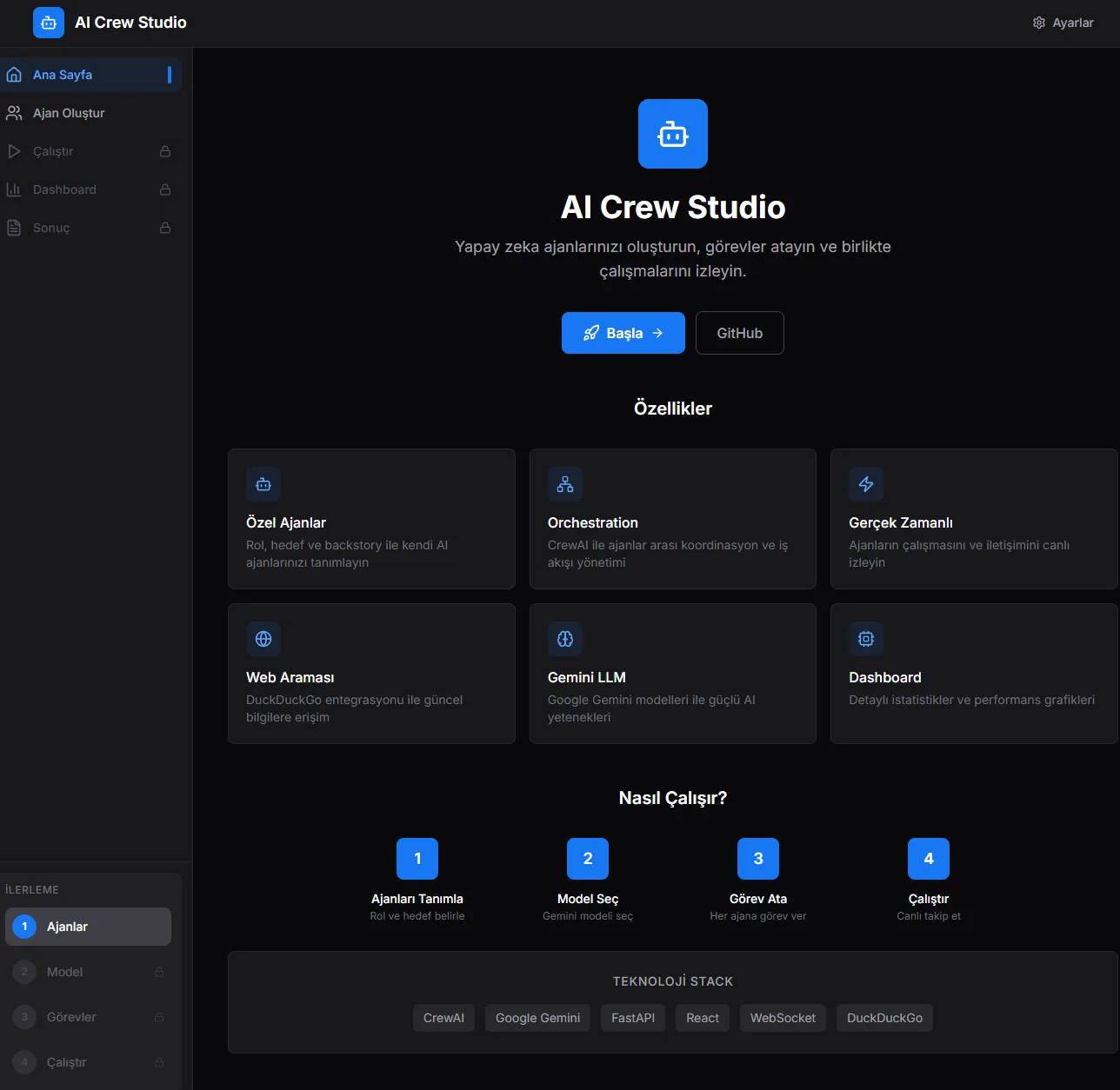 You can grab the project from GitHub and spin it up yourself. (My example Orchestration project)
I got the app above up and running quickly. Feel free to fork the project, run it locally, and try it out — it produces genuinely good results. 🙏
GitHub - huseyinkaracif/ai-blog-team
🎥 Watch the example in action (YouTube)
What Happened Behind the Scenes?
Once I set up the team and hit "Start," watching the text scroll across the terminal was mesmerizing.
First, the "Senior Researcher" took the stage. "Searching for 2024–2025 trends on this topic…" it said, doing real-time searches via DuckDuckGo. It read the articles it found, summarized them, and turned them into a report.
Then it handed that report off to the "Blog Writer." The writer took the raw data and shaped it into a Turkish article draft with an introduction, a body, and a conclusion — pleasant to read.
Finally, the "Chief Editor" stepped in. It read the piece, cleaned up the headings, ran a grammar check, and saved the file with a "Author: AI Team" signature at the bottom.
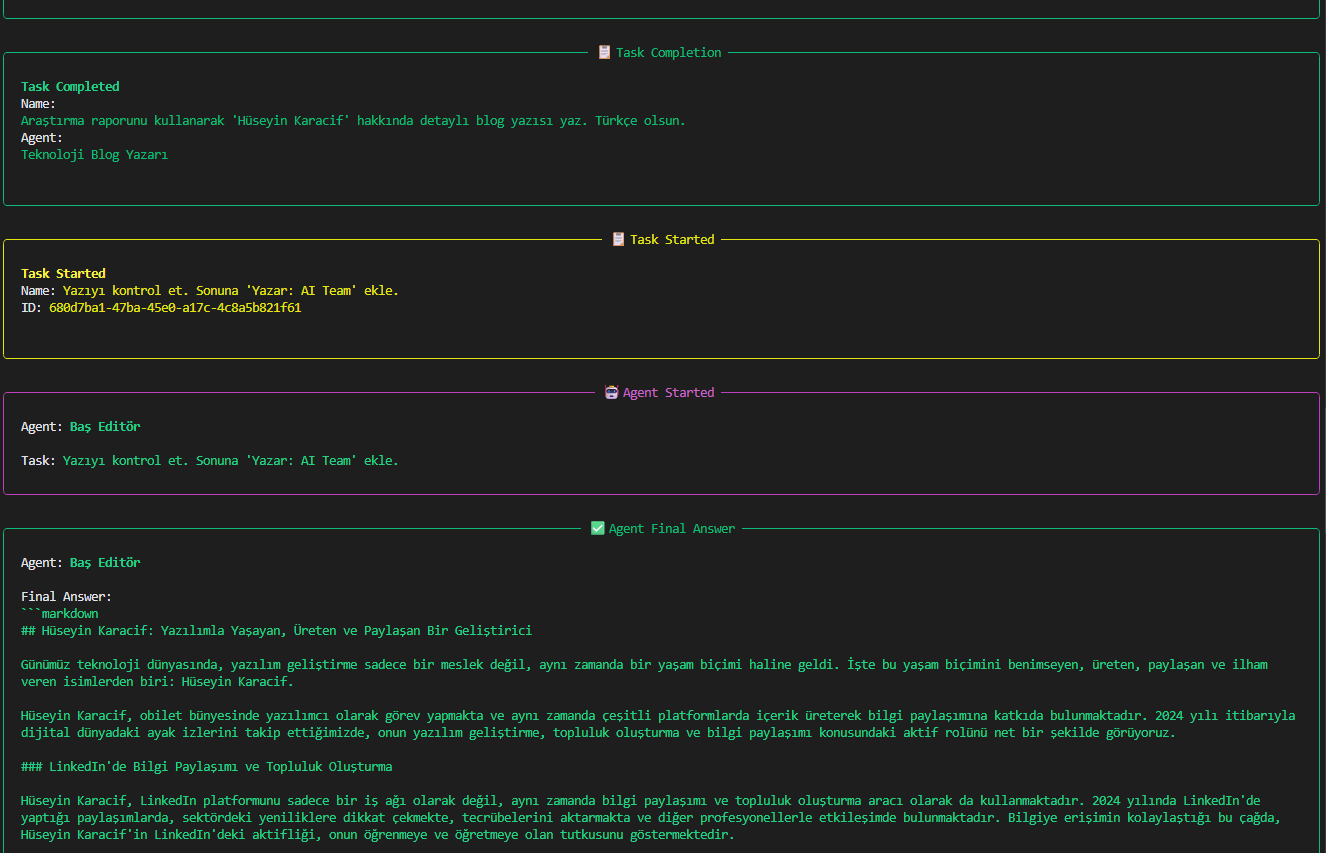 When I entered "Hüseyin Karacif" as the {topic}, here's the agents running one by one and the output
What did I do? I just sipped my coffee. ☕️
Challenges I Ran Into (And How I Fixed Them)
Of course, like every software project, I hit a few walls before I could call it "done." Let me leave two "golden tips" for anyone diving into this:
- Safety Filters: Google Gemini sometimes assumes messy data pulled from the internet is "unsafe" and refuses to respond. You need to fully disable the safety settings on the code side so the model can work freely.
- Tool Conflicts: Off-the-shelf libraries can sometimes clash with each other. The most solid approach is to write the tools your agents will use (say, the search module) yourself, as a simple Python class. This drops the error risk to near zero. (Also, watch your Python environments carefully.)
- API Communication: Some packages (CrewAI) expect a standard OpenAI Key environment variable — I got around this by setting it to an empty value. Otherwise the APIs can't establish a connection, so watch out for this too.
"I started with CrewAI today, but as your project grows, you might need Upsonic's stability or AgentOps' analytics capabilities."
EXTRA INFO IS ALWAYS GOOD
AgentOps & Observability: "Jira for Your Agents"
When you're managing a software team, you use Jira or Trello. But how do you manage digital agents? Once you start asking "Where did it get stuck?", "Why did it loop forever?", "How much did this run cost?" — a plain terminal screen just isn't enough.
This is where "Agent Observability" tools come in: (this part matters, please take the time)
- AgentOps: A dashboard that tracks your agents' performance and records their sessions. Much like a Product Manager watching over their team, it visualizes how much time each agent spent on which task.
- LangSmith: Built by the LangChain team, this tool lets you look "inside the brain" of your agents. It shows you exactly which step (Trace) the error occurred at, second by second.
- Automaker: The industry is rapidly shifting "from code to interface." Developers are increasingly managing agents not from the terminal, but through AI-focused interfaces like Automaker, or via Kanban boards (assigning tasks the way you'd drag a Trello card). It's a preview of a future where even non-technical PMs can manage AI teams.
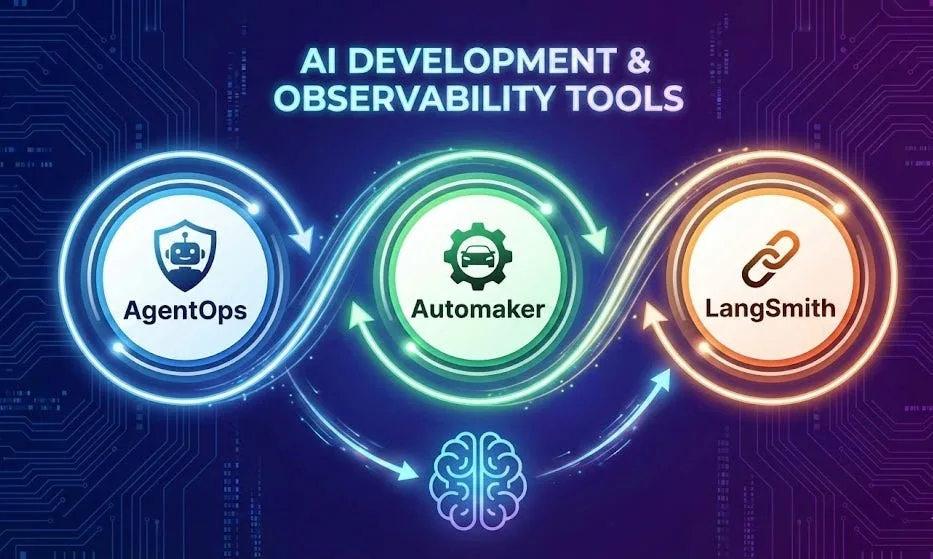 Agent Orchestration & Development & Observability
Conclusion
AI is no longer just an "assistant" we ask questions and get answers from. When set up right, it's become a "workforce" that researches, produces, and works for us.
This setup we built with CrewAI and Gemini is a small demo of what tomorrow's software architecture will look like. When we write code now, we're not just designing algorithms anymore — we're designing the psychology and workflows of these digital agents.
If you'd like to try this system yourself and build on it, I've shared the full source code on my GitHub profile. Download it, tinker with it, learn from it, and build your own army!
Well, we've reached the end of the article. We're in an era where AI has made information so easy to find that it's kind of ruined the fair fight. I put in the work for you and pulled this new topic together in my spare time. Don't hold back your feedback. 🙏
Grateful that you read this.
Take care, friends...