A friend messaged me last week, clearly annoyed: "I wrote the exact same prompt, it worked perfectly yesterday, today it's talking nonsense!" I looked at the prompt. It really hadn't changed. But everything around it had: the documents coming back from RAG were different, the conversation history had gotten longer, someone had added a new rule to the system prompt. Same prompt. Completely different context.
This post is about exactly that gap: the difference between prompt engineering and context engineering, and why the second one has quietly become the more critical skill.
Where Prompt Engineering Runs Out of Road
Prompt engineering is about what you ask the model. Writing "you are an expert lawyer, analyze this contract," adding few-shot examples, saying "think step by step" — these are real, useful techniques. But they all share one assumption: that everything else the model sees is already correct and well-organized.
That's not how the real world looks. Say you have a customer support agent. The user's question arrives, and alongside it: the last 15 messages of conversation, three documents pulled from RAG, user profile data, the output of a previous tool call, the system prompt, maybe even "today's promotions" info. What the model actually sees isn't the nice prompt you wrote — it's that whole messy pile.
Context engineering is the discipline of deliberately designing that pile: deciding what goes in, when it goes in, and in what order.
Treat the Context Window Like a Budget
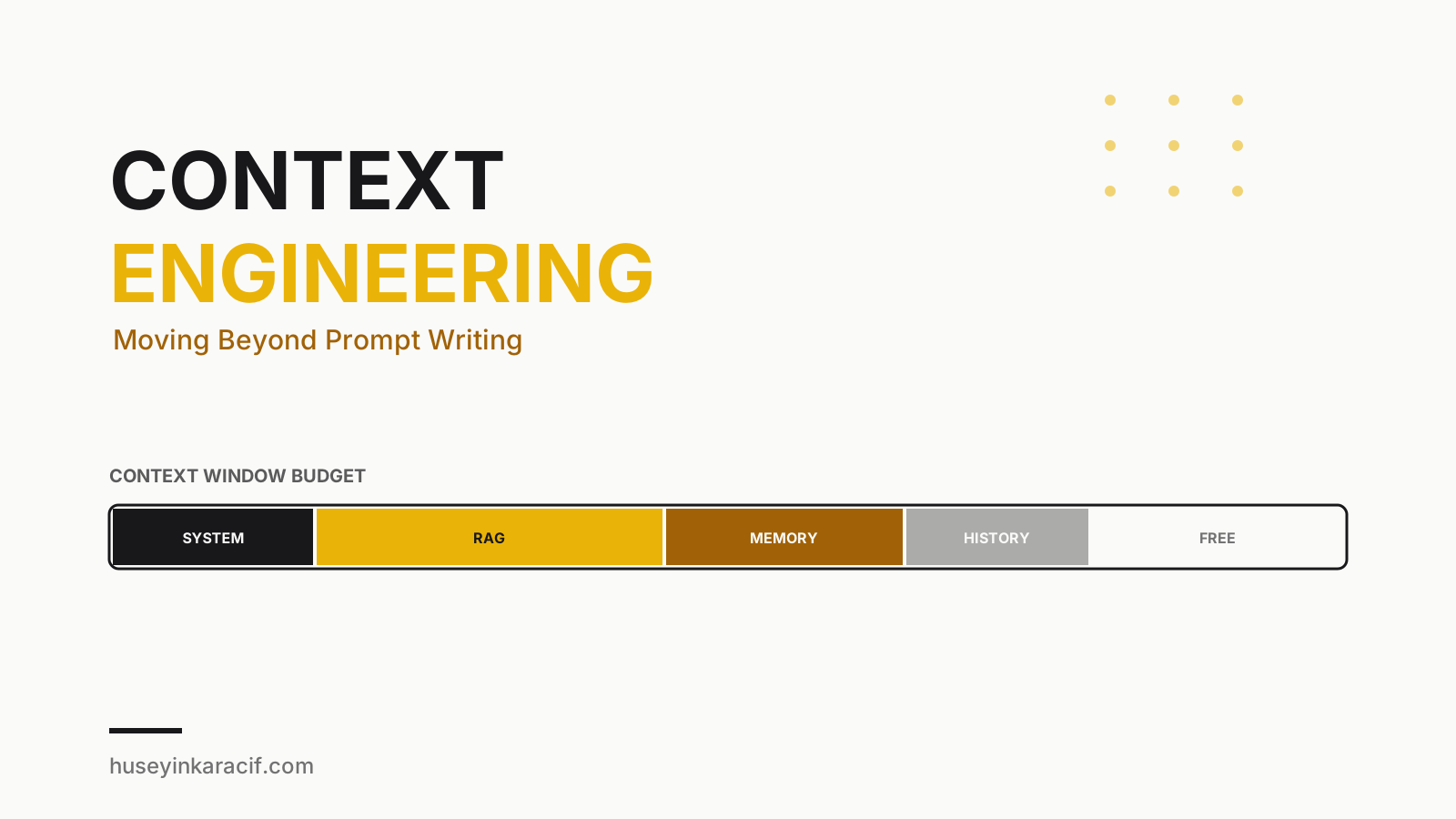
The analogy that made this click for me: the context window is a limited budget — just like money. If you have 100,000 tokens to spend, how you spend them directly determines the model's performance.
Bad budgeting looks like this: stuffing the entire conversation, irrelevant RAG results, unused tool definitions, and repeated system instructions all into context. The result? The model loses the genuinely important information inside that crowd. Some researchers call this "context rot" — as context grows, the model's ability to find and correctly use the relevant piece of it degrades. The more noise there is, the weaker the signal gets.
Worth remembering: more context is not automatically better context. Sometimes sending five pages of irrelevant documentation produces a worse result than sending nothing at all.
I now ask myself, every time I'm designing context: "Does the model actually need this to answer correctly, or am I just adding it so I feel safer?" The second answer wins more often than I'd like to admit, and that's exactly the habit I'm trying to break.
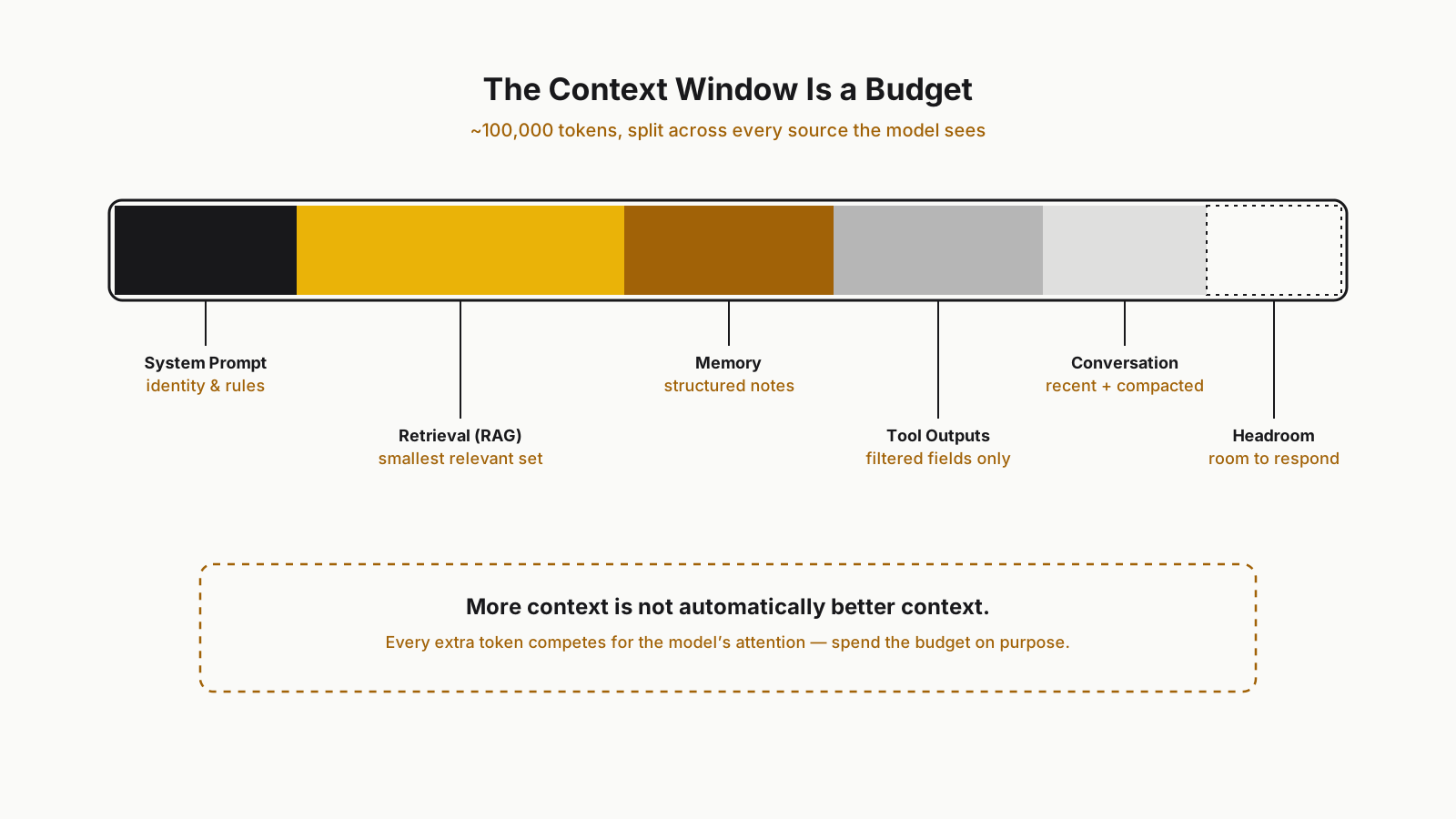 Splitting the context window like a budget
Context Has Many Sources, Not One Prompt
What the model sees is actually fed by several different sources, and each one has its own rules:
- System prompt: defines the agent's identity, rules, and boundaries. It's static, but it bloats easily — "let me just add one more rule" turns into three pages over time. I periodically re-read my system prompts and ask "is this rule still earning its place?"
- RAG (retrieval): documents pulled from external knowledge sources. The real skill here is retrieving the smallest relevant set — not sending 20 documents "just in case."
- Memory: information carried over from previous sessions, user preferences. Carrying summarized, structured notes is far more efficient than dragging along raw conversation history.
- Tool outputs: a JSON response from an API usually contains 30 fields the model doesn't need. Dumping it in raw is wasteful — filter down to the fields that matter.
- Conversation history: the sneakiest one. As a conversation grows, carrying all of it forward is both expensive and a direct trigger for context rot.
Treat each of these as its own line item in the budget. None of them get an unlimited allowance.
How to Spot a Context Problem
The most practical way to think about this is to treat the model's weird behavior as a symptom, not a mystery. When I see the following, context is the first thing I suspect — not the prompt:
- The model "forgets" something it was told at the start of the conversation — usually means context has grown long and that fact got buried somewhere in the middle.
- The same question gets a correct answer sometimes and an irrelevant one other times — likely the RAG documents are coming back in an inconsistent order, or the context content is varying between calls in ways you didn't intend.
- The model calls a tool it shouldn't, or passes the wrong arguments — probably the tool definitions in context are too crowded, or the examples aren't clear enough.
- Answers gradually get more "generic" and less specific — a classic symptom of context rot: the signal has drowned in the noise.
When you see these symptoms, I'd suggest logging and inspecting what the model actually saw at that moment before you touch the prompt at all. More often than not, the culprit isn't the sentences you wrote — it's the pile surrounding them.
Patterns That Actually Work in Practice
After trying this across a few projects, three patterns have made a real, measurable difference for me:
1. Compaction. Once a conversation crosses a certain length, instead of carrying the whole history forward, I summarize it and place that summary at the top of context as a compact note. You lose some detail, but you keep the model focused. Carrying the last five messages raw and everything before that as a summary is a good balance.
2. Structured notes. While an agent works through a task, instead of accumulating a raw stream of "thoughts," I convert important findings into small, structured notes — a JSON blob or a markdown list. These take up less space and are far clearer when the model re-reads them later.
3. Just-in-time retrieval. Instead of front-loading everything into context, the agent pulls information the moment it actually needs it. Rather than fetching ten documents up front "just in case," the agent calls a search tool exactly when it says "I need this," and gets only what the current step requires. This protects the budget and improves relevance at the same time.
Bad vs. Good Context Assembly, Side by Side
To make this concrete, let's build the context for the same customer support question two different ways.
The bad approach:
System: You are a support assistant. Be polite. Respond in English.
[The full 15-message raw conversation history]
[8 documents from RAG, ordered by search score, not by relevance]
[The user's entire profile JSON — 40 fields]
[The raw API response from a previous tool call — 200 lines of JSON]
User: "When will my package arrive?"
Here, the model has to hunt for the delivery address inside a 40-field profile, dig the shipping status out of 200 lines of JSON, and figure out on its own which of the eight documents is actually relevant. You've offloaded most of the work onto the model.
The good approach:
System: You are a support assistant. Be polite and concise. Respond in English.
User summary: Ahmet, Istanbul, loyal customer (3 years), no open tickets.
Last 3 messages (raw): [...]
Conversation summary (earlier): User is asking about tracking for order #4521.
Relevant fact: Order #4521 - shipped, estimated delivery in 2 days.
User: "When will my package arrive?"
It carries the same underlying information, but it does the model's job for it: you've decided what matters, the model just has to answer. The second version uses fewer tokens and produces noticeably more consistent answers. I've tested this repeatedly across my own projects; the difference is visible, not theoretical.
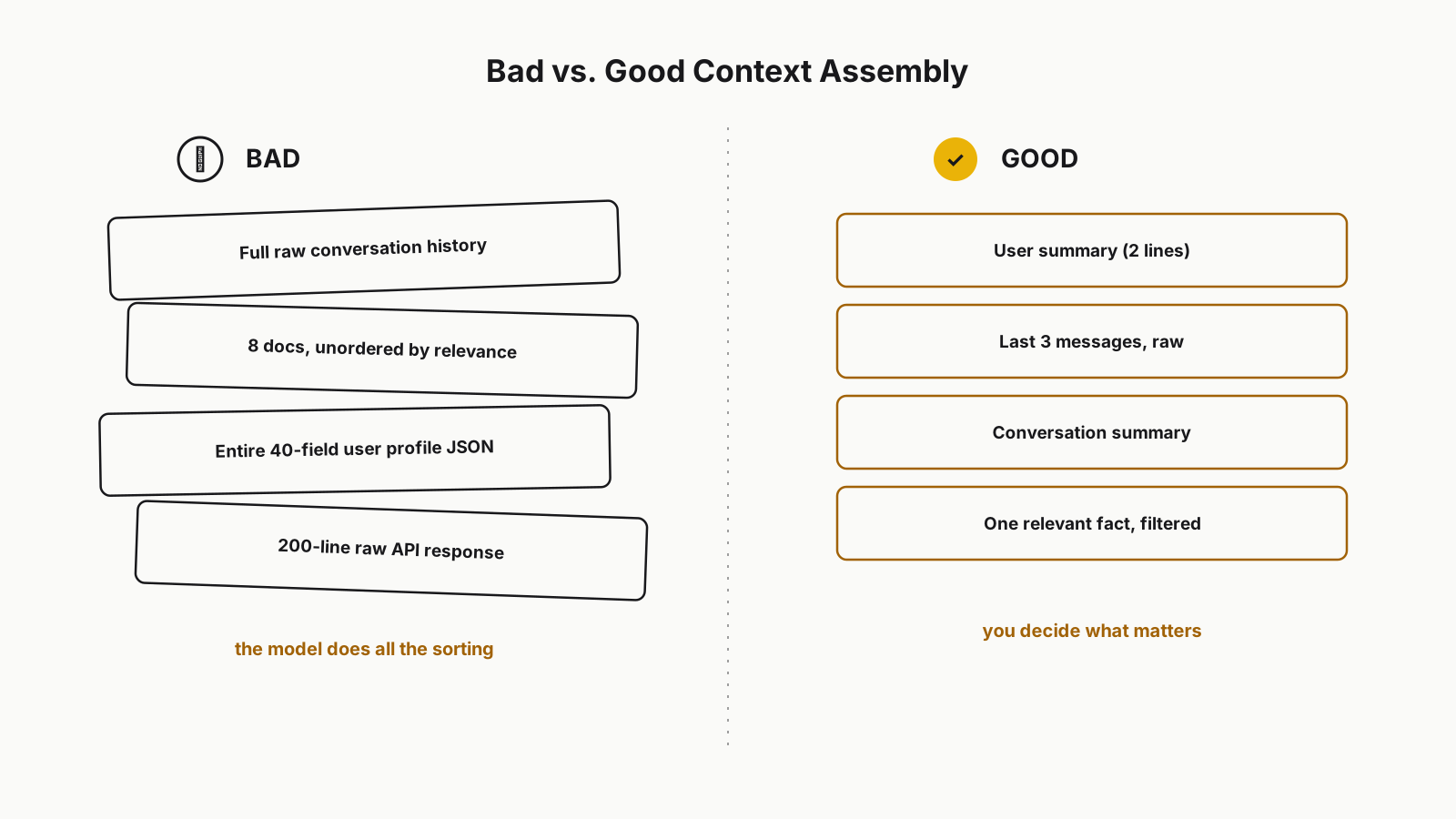 Bad vs. good context assembly, side by side
A Small Trick Against Context Rot
If you notice a model "forgetting" things in a long conversation, the fix isn't always to add more context — sometimes it's the opposite. I've set a rule: once context crosses a certain threshold, a compaction step fires automatically. I also re-append critical facts (user name, the open task, hard constraints) to the very end of context every time — that's the spot the model pays the most attention to. It's a small trick, but it genuinely works.
Final Thoughts
Prompt engineering still matters — how you ask really does change the outcome. But it's no longer enough on its own. Context engineering means designing the world the model actually sees at that moment, filtering out everything unnecessary, and presenting what genuinely matters at the right time and in the right place. Once that idea clicks, the "same prompt, different result" complaints mostly disappear.
If you're taking an agent to production, I covered the cost and reliability side of that in Taking AI Agents to Production — worth a read alongside this one.
Grateful that you read this.
Take care, friends...