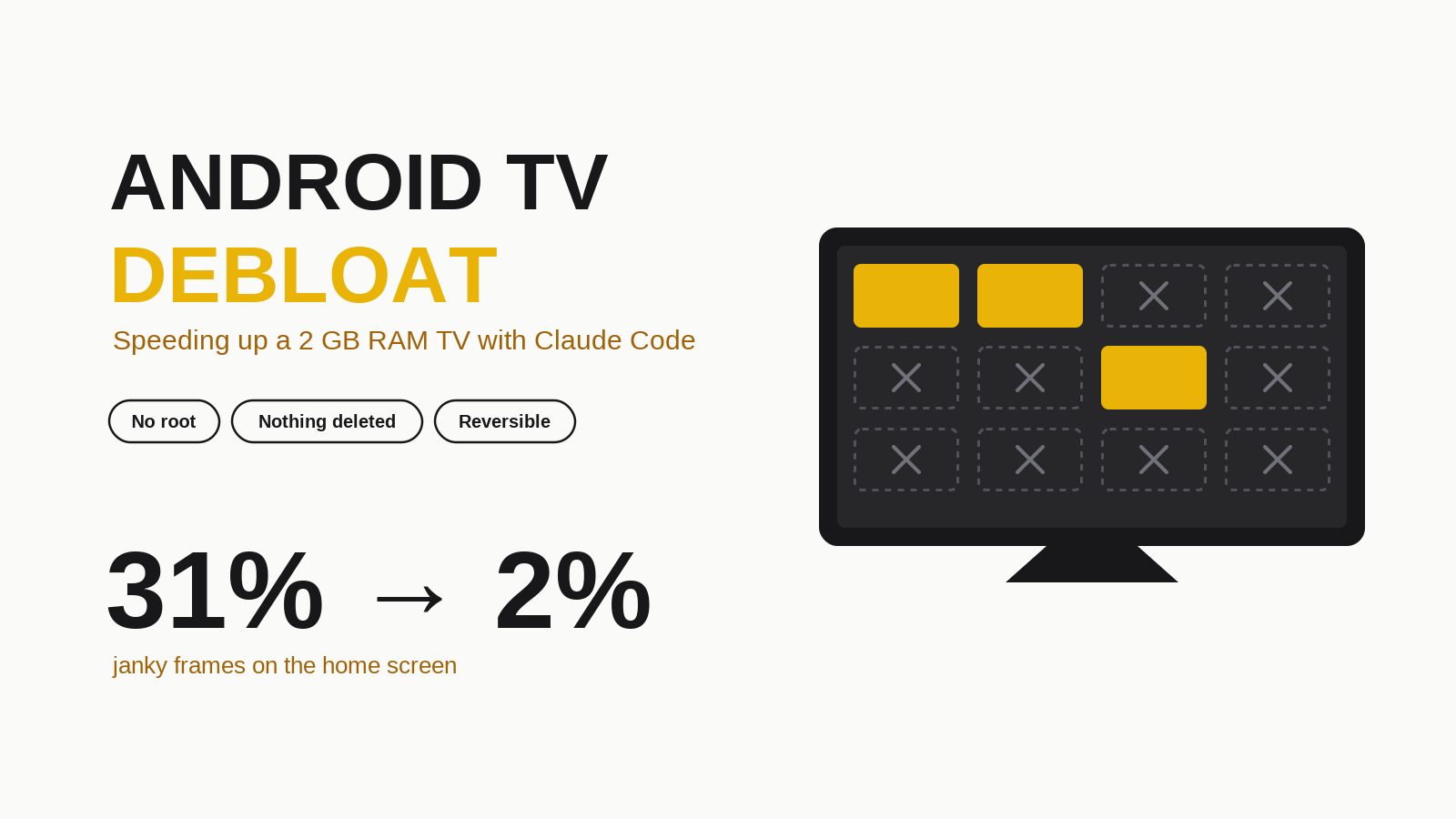
My TV at home is a TCL 55P615: 55 inches, 4K, Android TV 11. Not bad on paper, but inside it has 2 GB of RAM and a quad-core 1.1 GHz processor. When the stutter on the home screen started to get on my nerves, I wanted to know one thing before shopping for a new TV: how much of this slowness comes from the hardware, and how much from what's been piled on top of it?
The answer was clearer than I expected. After the TV had been on for three days, it had spent 7.5 of the last 7 hours 45 minutes at a "critical" memory level. 31% of the frames drawn on the home screen were janky.
This post is about how I cleaned up that TV without rooting it or deleting a single app, why I handed the job to an AI agent, and the surprises I ran into along the way. At the end I share the guide file I used.
What Is TV Debloating?
"Debloating" means disabling the apps and background services that come preinstalled from the factory but that you never use: ad and recommendation rows, the manufacturer's analytics services, partner recommendations, streaming apps you never open... Some of them start at boot even if you never touch them, and they take up space in a 2 GB memory.
The most important part: nothing gets deleted. Android's pm disable-user command leaves the app in place and disables it; pm enable brings it back with a single command. No root, no bootloader unlock, no custom ROM. That last one matters, because on a rooted TV Widevine L1 can break and apps like Netflix drop to SD quality.
# disable
adb shell pm disable-user --user 0 com.tcl.bi
# re-enable
adb shell pm enable com.tcl.bi
Why an Agent Instead of Doing It by Hand?
The TV has hundreds of packages, and which ones are safe to disable depends on the brand, the firmware, even the region. Most guides online were written for another brand or another chip: the package names in Xiaomi/MediaTek guides don't even exist on this Realtek-based TV. Disable the wrong package and the remote's Source menu can disappear, or the TV can hang at boot.
So the hard part isn't typing commands; it's measuring, classifying, testing after every step and keeping records. It's repetitive work that demands discipline, which makes it a perfect fit for an agent. So I wrote the rules into a file and Claude Code ran the commands.
Writing the Rules Down: CLAUDE.md
Claude Code reads the CLAUDE.md file in its working folder at the start of every session. I wrote that file like a work brief: the task, the TV's specs, strict rules, packages never to touch, candidate lists and a test list. The rules were the most important part:
## Rules (strict)
1. Never uninstall. Only use pm disable-user; the rollback is pm enable.
2. No root, no bootloader unlock, no custom ROM, no firmware flashing.
3. Take a backup and measurements first; repeat the same measurements at the end.
4. Disable at most 10 packages at a time, then STOP and have me run the test list.
5. Don't disable a package you are unsure about; ask.
6. Don't force a package that can't be disabled; skip it and log it.
7. Write every package you disable, in order, to disabled.txt.
The "never disable" list was just as valuable as the rules. For example, com.tcl.suspension sounds like an unimportant service, but it's the remote's Source menu. On another TCL TV, disabling it made it impossible to switch to HDMI.
The Process: Measure, Disable, Test, Log
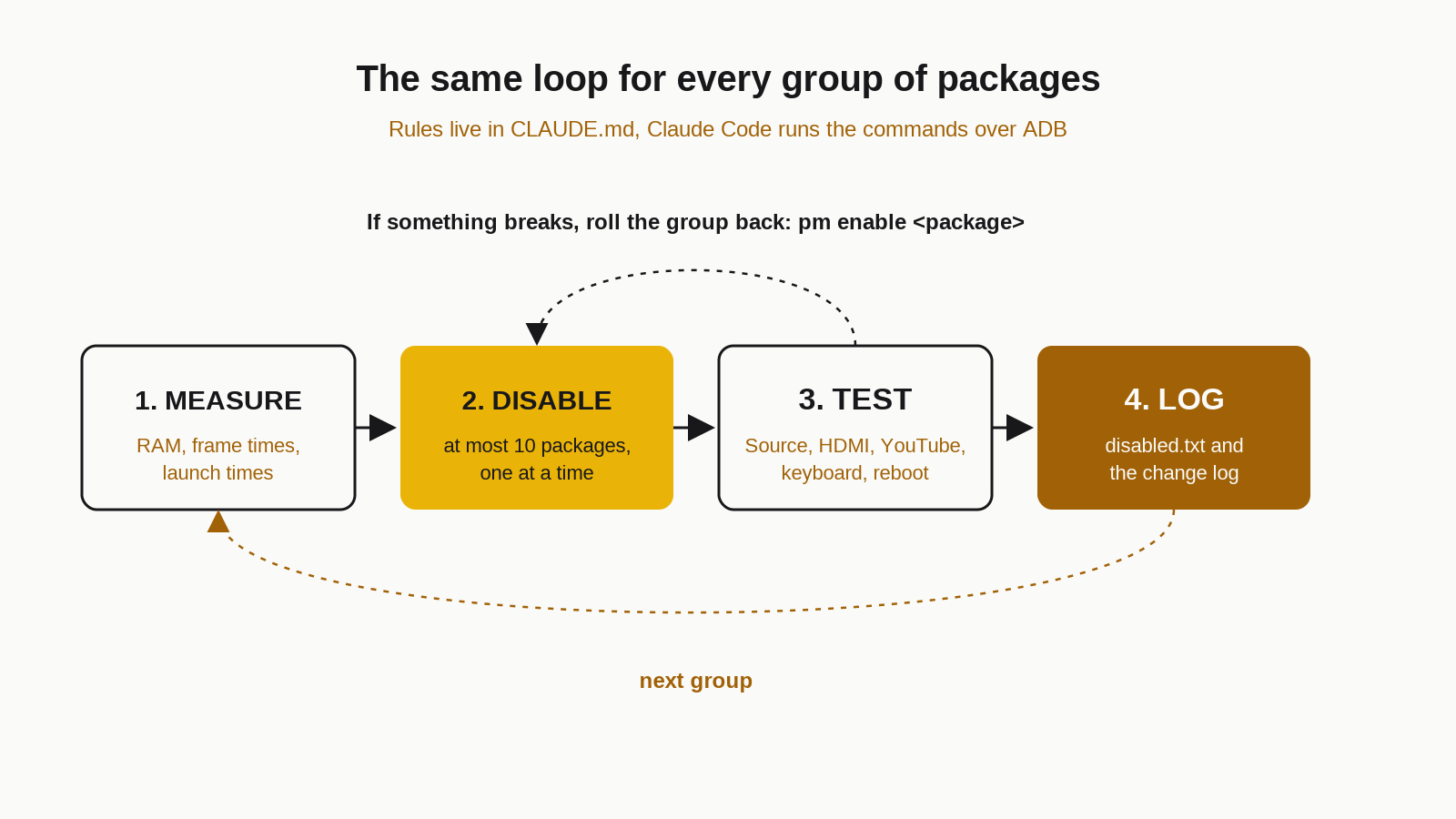 The same loop for every group of packages
The first step was a backup and a baseline: package lists, every setting, memory (dumpsys meminfo), home screen smoothness (janky frame percentage from dumpsys gfxinfo), YouTube's cold start time and the listening network ports. Then Claude Code sorted the packages into three groups: most likely unnecessary, depends on my usage, and do not touch. For the usage-dependent ones it asked all its questions in one message: do you use Chromecast, voice search, video from USB, the screensaver...
Packages were disabled in groups; after each group the TV was rebooted and the test list was run. While I was away from the TV, it automated those tests over ADB as well: it wrote a script that presses the Source key and checks that the source menu opens, switches to HDMI 1, confirms a YouTube video plays, checks that the on-screen keyboard appears and that there are no crash logs. The things ADB can't see, picture and sound quality, I tested by hand when I got back.
In the end, 30 packages were disabled and 0 were deleted. Animations were halved, the screensaver was turned off and the home screen was replaced with Projectivy Launcher.
Surprises Along the Way
To me this is the most instructive part, because I didn't know any of it in advance.
Disabling too fast crashed the system. In the first group, system_server crashed while two packages were being disabled back to back, and none of the changes stuck. According to the logs it was most likely a race condition: while Google Assistant's role was being released, the system service lost track of its own process record. The fix was simple: disable packages one at a time within a group, waiting 15 seconds after each. It never crashed again.
TCL kept re-enabling the apps I disabled. After a reboot, some of the apps I had disabled were back on by themselves. The culprit turned out to be TCL's regional app manager, com.tcl.overseasappshow. Once it was disabled on its own and the TV rebooted, all 11 packages I had disabled stayed off.
Some apps run even when disabled. Persistent system apps can still start at boot even when they're disabled. The Alexa service showed as disabled but was running after boot. So "I disabled it" doesn't always mean "the RAM was freed"; you can't know without measuring.
The home screen role wasn't enough. We made Projectivy the default home screen and the role moved to it, but the Home key kept opening the old one. The reason was that the old home screen was registered with Android at a higher priority; the fix was to disable it. And here something interesting happened: Claude Code's permission system refused to run that command. It was a step that could leave the TV on a black screen if it went wrong, so the agent left it to me and I ran the command myself. Having a human press the last button on the risky step is exactly the right design, in my view.
The wallpaper was eating everything. With its default settings, Projectivy drew about 53 frames per second even while the TV was idle: it downloaded a wallpaper from Reddit every minute, played a zoom effect on transitions and kept a glow animation running on the focused card. Turning those off brought idle CPU use down to zero, and janky frames on the home screen dropped from 48.9% to 2.1%.
Results
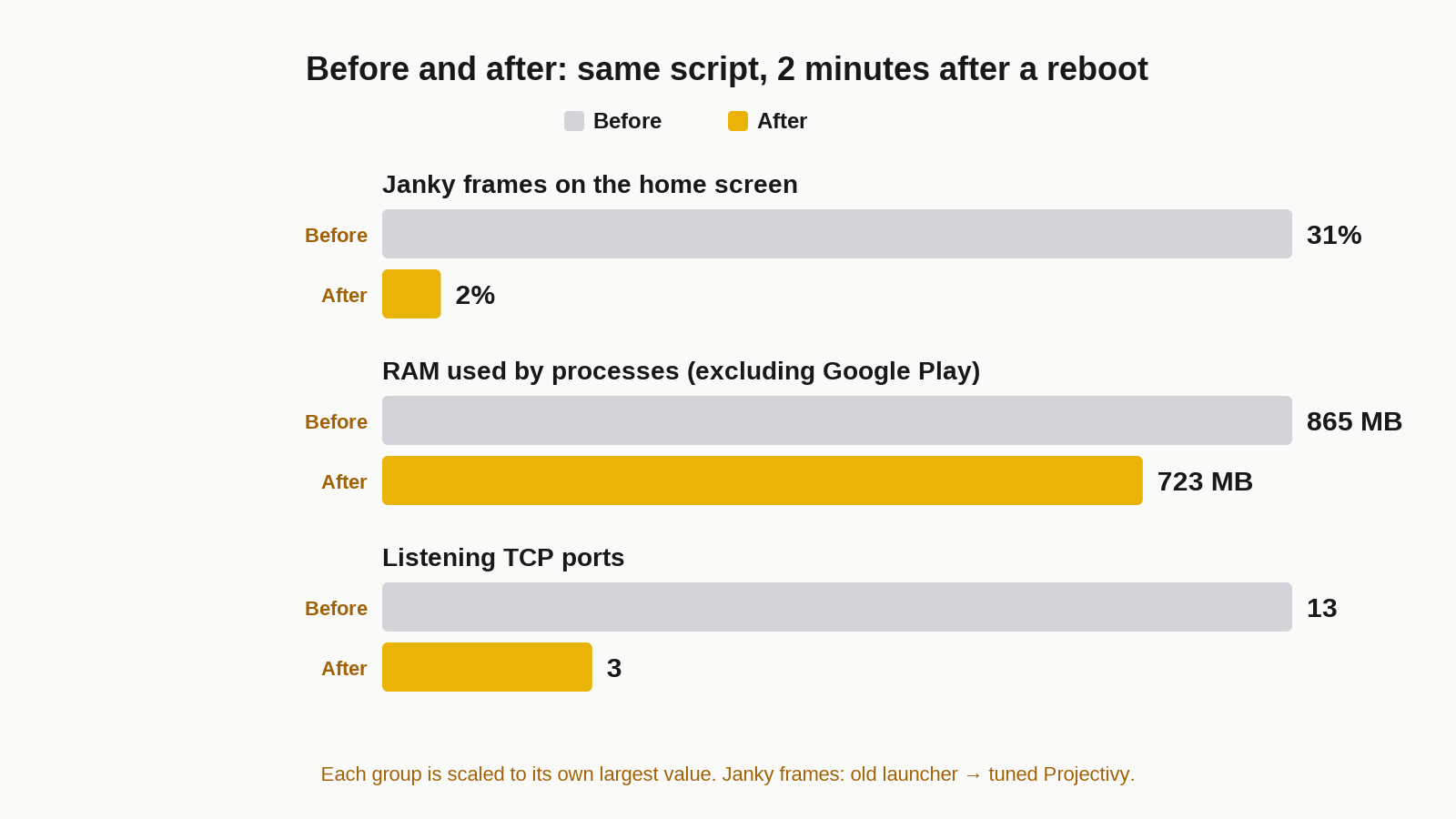 Same measurement script, 2 minutes after a reboot
| Measurement | Before | After |
|---|---|---|
| Janky frames on the home screen | 31% | 2% |
| RAM used by processes (excluding Google Play) | 865 MB | 723 MB |
| Listening TCP ports | 13 | 3 |
| YouTube cold start | 1.08 s | 1.03 s |
| Packages disabled / deleted | – | 30 / 0 |
These numbers need an honest reading:
- Part of the drop in janky frames comes from the cleanup and part from the launcher change. On the old home screen, the cleanup alone took it from 31% to 18%; Projectivy with the right settings took it to 2%.
- Available memory (MemAvailable) only went up by 52 MB, because Google Play Services was running post-boot updates during the final measurement. The 142 MB drop in total memory used by non-Google processes is more representative.
- App launch times barely changed. The gain is in smoothness and memory.
- Listening ports going from 13 to 3 is a privacy win, not a speed win: fewer services on the TV are waiting for connections.
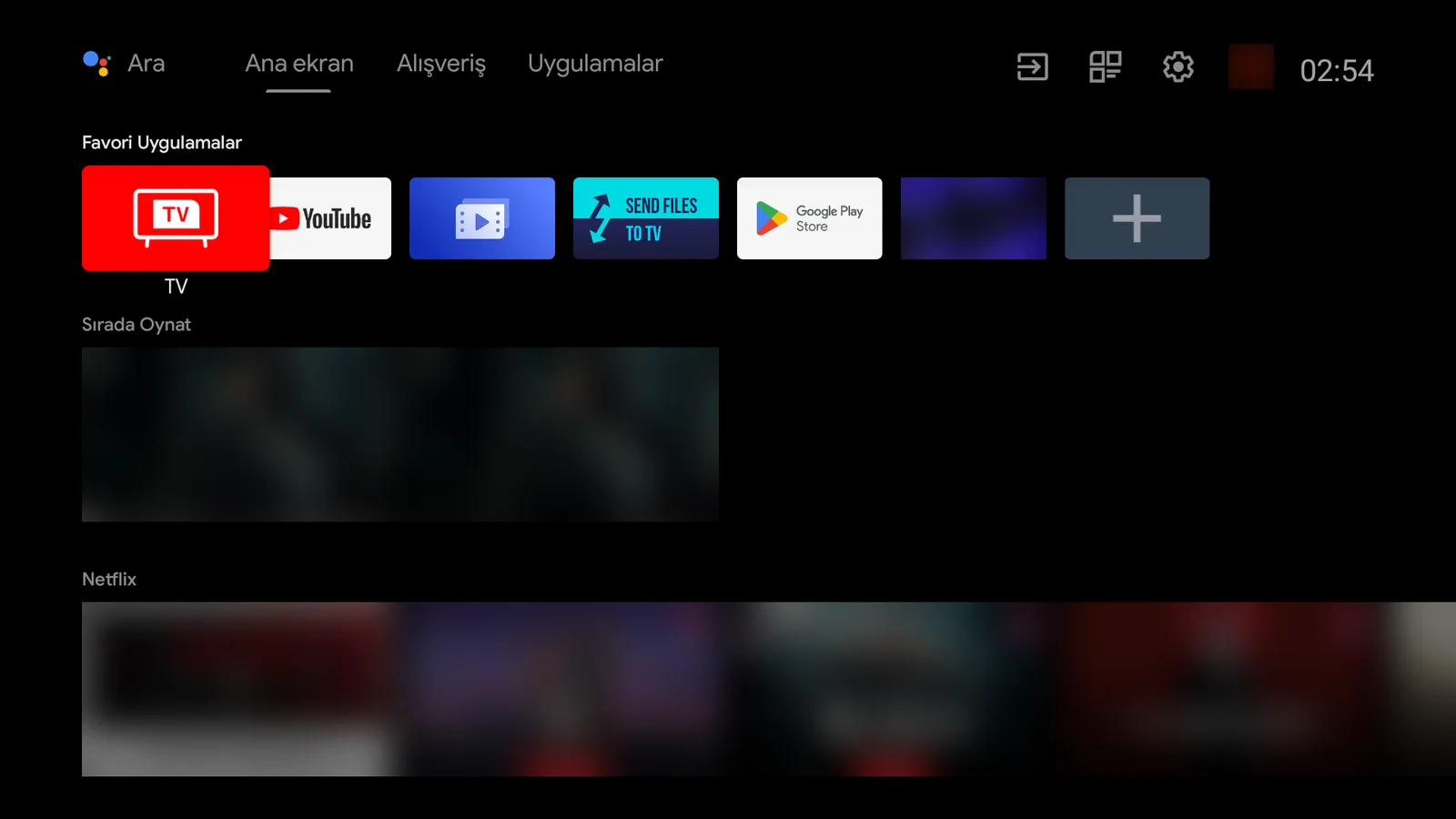 Before: the old home screen. Recommendation and ad rows took up most of the screen (content artwork and the profile picture are blurred).
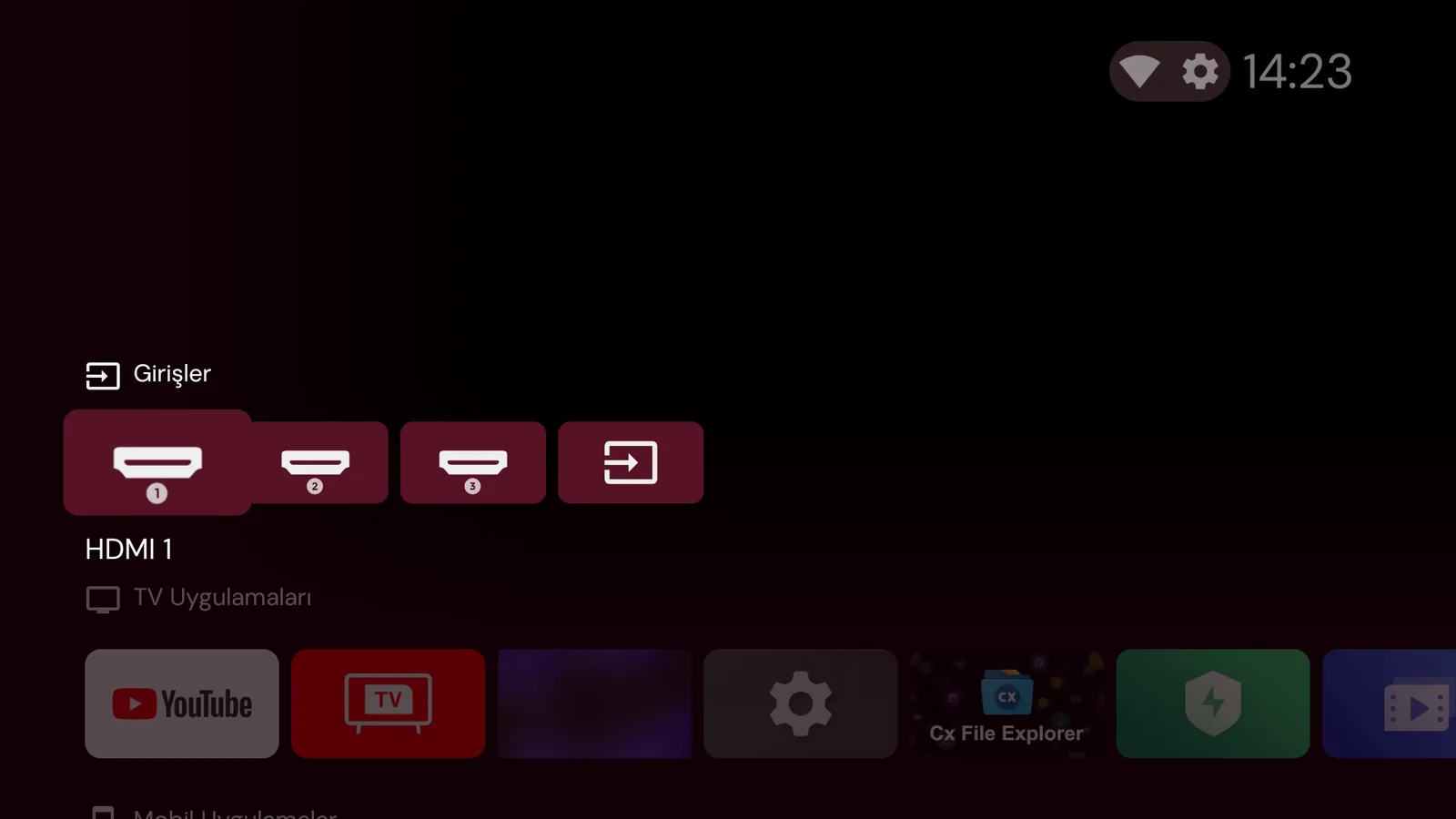 After: Projectivy. No ad or recommendation rows, and the HDMI inputs sit in the first row.
Bonus: The Türksat Switchover and "No Signal"
On the night of 15–16 August 2026, broadcasts on Türksat, Turkey's satellite operator, moved to new satellites. Afterwards the channel scan found more than 500 channels, yet some of them showed "No signal". My first suspicion was that the cleanup had broken something, but none of the tuner or channel packages had been touched.
Claude Code opened the scan screens over ADB and went through them one by one using screenshots. The problem wasn't the dish: the start frequency the TV fetched its channel list from (11096 MHz) had been switched off, and the signal there showed 0%. After setting a working frequency (12303 MHz) as the start frequency and running the auto scan again, 779 channels came back.
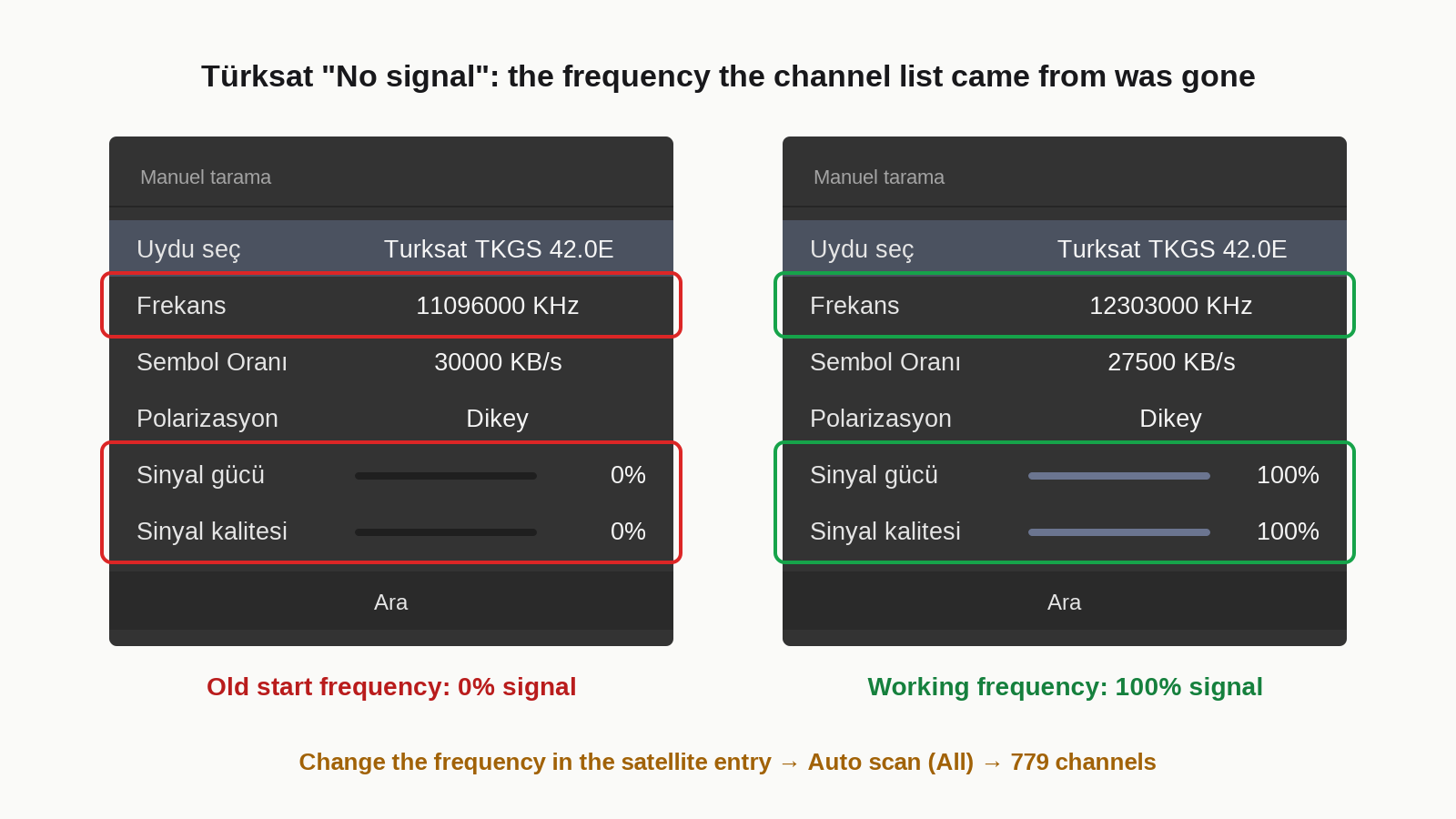 Values from the manual scan screen (redrawn from the TV's interface, which is in Turkish)
If you have the same problem, first check whether the start frequency in the satellite setup actually has signal. Frequencies change over time; check the current value in Türksat's frequency list.
Want to Try It on Your Own TV?
I'm sharing the CLAUDE.md file I used, stripped of personal information (the IP address) and updated with what I learned in this experiment. The English version is a translation of the Turkish file I actually ran:
Download CLAUDE.md (English) · Turkish original
- On the TV, go to Settings > Device Preferences > About and press Build 7 times, then turn on Developer options > USB debugging.
- Create an empty
tv-debloatfolder on your computer, put the file inside it asCLAUDE.md, and replace<TV_IP>with your TV's IP address. - Start Claude Code in that folder, type "Start" and approve the USB debugging prompt on the TV.
The file was written for a TCL 55P615. On another brand the package names will be different; adjust the "TV" section of the file to your device. Even in the worst case, a factory reset re-enables everything that was disabled.
The Video
I had Claude Code make a short video for this post too: the scenes are drawn in code, and the sound effects and music are synthesized. The narration is in Turkish. Voiceover: elevenlabs.io
Final Thoughts
What stuck with me from this experiment: the agent wasn't a "smart command writer" here, it was a disciplined operator. It measured, asked, moved in small steps, tested every step and kept a record. I wrote the rules and took the risky last step myself. Thanks to that split, none of the measurement and test steps I would probably have skipped doing this by hand got skipped.
I wrote about working with agents more generally in Agentic Coding: The Developer's New Workflow, worth reading alongside this one.
Grateful that you read this.
Take care, friends...